The mail app that keeps track.
Waxwing's AI reads along with you. It remembers what you promised and what you're waiting for, collects the invoices and bookings spread across threads, catches you up in a minute, and drafts replies that sound like you. Your mail stays on your Mac, and the AI is your choice: Apple Intelligence on the device, or your own Claude or OpenAI key.
Windows? Join the waitlist
- Free during the beta
- Apple Intelligence, or your own Claude or OpenAI key
- No Waxwing cloud for your mail
A demo of Waxwing. It reads new mail and writes down what you owe, what you're waiting for, and what got done. 38 new emails. 2 to do, 1 to wait on, 1 done by itself. An agent collects every invoice, catches what's wrong, and files the rest for your accountant. 212 emails. 3 invoices filed, 3 problems caught.
It reads new mail and writes down what you owe, what you're waiting for, and what got done.
38 new emails. 2 to do, 1 to wait on, 1 done by itself.
Your inbox is a to-do list nobody wrote down. Waxwing writes it down.
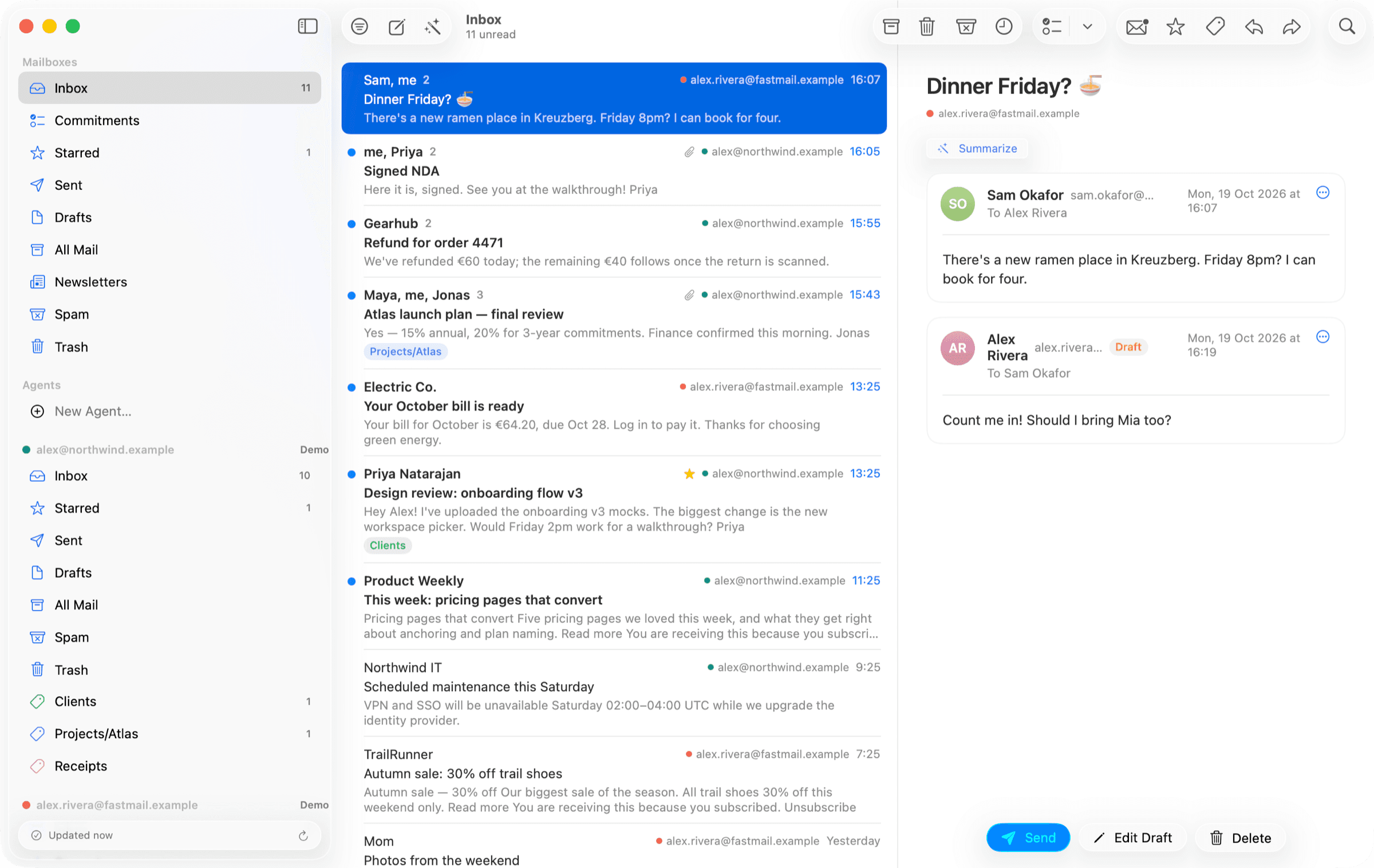
- ⌘J turns a few words into a full email in your voice, learned from your sent mail.
- Reply ideas and one-click rewrites: shorter, warmer, more formal, or translated.
- Every promise you make in a reply lands on You Owe, so nothing slips.
- Catch Me Up turns a long thread or a busy morning into a few lines.
- Summaries pull out the action items and send them to Reminders.
- The Screener keeps new senders out until you let them in.
- Waiting For lists what others owe you, and a later reply settles it on its own.
- Agents gather every invoice or booking and flag duplicates and missing months.
- Upcoming dates and a daily briefing show what's overdue, due today, and done.
Less reading. Less writing. Nothing forgotten.
It remembers what everyone promised.
Waxwing notices commitments in your mail, yours and other people's, and sorts them into You Owe, Waiting For and Done. A later reply settles them automatically. When you need an answer, Remind Me If No Reply brings the conversation back if nobody writes by the day you pick.
- You Owe
- Waiting For
- Done Recently
- Remind Me If No Reply
- Pay requests from new senders
Demo: you set Remind Me If No Reply on an email to Tom. Three days pass with no answer, and the conversation comes back to the top of the Inbox, marked No reply.
47 unread. Read six lines.
Catch Me Up reads everything new and writes one line per conversation, sorted into what needs you, what's good to know, and what can wait. The lines are in your language, whatever language the mail came in. Click one to open the conversation.
- Needs you
- Good to know
- Low priority
- In your language
Demo: Catch Me Up reads 47 unread conversations and gives one line each, sorted into Needs you, Good to know and Low priority, including a German email summarized in English.
Ask a question. Get the answer, and the email it came from.
Type a question in the search field, like "when is my flight to Lisbon?", and Waxwing writes a short answer with numbered sources. Click a number to open the email. If the answer isn't in your mail, it says so instead of guessing.
- Ask in your own words
- Numbered sources
- Says when it isn't there
- Apple Intelligence or your own key
Demo: you type “when is my flight to Lisbon?” in the search field. Best Matches lists the e-ticket and the check-in email, and Ask Waxwing reads the best matches and answers in two sentences with numbered sources. Clicking source 1 opens the e-ticket.
Replies that sound like you, in any language.
Read a German email in English. Then type a few words, press ⌘J, and Waxwing writes the reply in German, in the voice it learned from your sent mail. Where it doesn't know something, it leaves a highlighted gap instead of guessing. Nothing is sent until you press Send.
- Write with AI, ⌘J
- Translate incoming mail
- Reply ideas
- Shorter, warmer, more formal
Demo: a German email is translated into English. You type four words and press Command J, and Waxwing writes the reply in German, leaving the delivery address for you to fill in.
Describe a kind of email. An agent keeps the list.
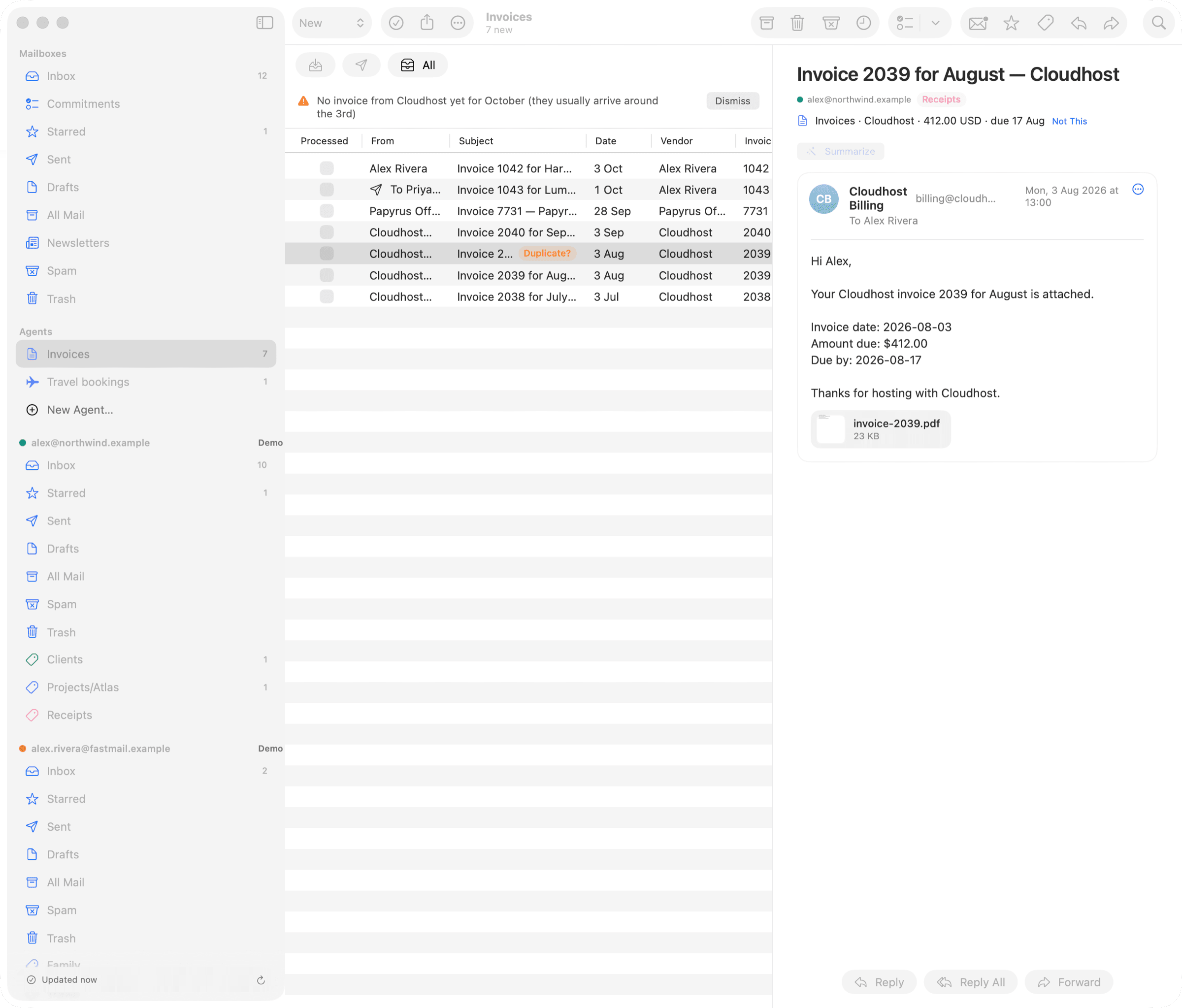
Start from a template, like Invoices, Receipts, Travel, Deliveries or Renewals, or describe one in a sentence. The agent collects every match from new mail and your history, pulls out amounts and dates, flags a duplicate invoice or a missing month, and exports a tidy folder for your accountant.
- Invoices
- Receipts
- Travel
- Deliveries
- Renewals
- Export for Accountant
Hand the list to Claude.
Agents keep the lists; Claude Code can now work through them. It saves the new invoices' PDFs to a folder you picked, uploads them wherever your accountant wants them, and ticks them off as processed. It sees only what you allow, saves only where you allow, and every step shows up in Waxwing, with Undo.
- List new items
- Save to your folders
- Mark processed
- Undo in Agent Activity
- Approve new agents
Demo: in Claude Code you ask it to file your new invoices. It lists the Invoices agent's new items through Waxwing, saves their PDFs to a folder you allowed, uploads them to the shared drive and marks them processed. Waxwing shows what Claude Code did, with Undo.
Clear years of clutter in one click.
Clean Up gathers the mail you can let go of: newsletters you never open, old promotions, old notifications. Each group says why it's there. It never touches starred mail, commitments, VIPs or conversations you took part in, and one Undo puts everything back.
- Newsletters you don't open
- Old promotions
- Old notifications
- One Undo
Demo: Clean Up Inbox groups 2,119 conversations you can let go of, each with its reason, and archives them in one click. The Inbox goes from 2,431 conversations to 312.
Let Claude work with your mail. Safely.
Waxwing has a built-in MCP server, so Claude, Claude Code and other AI apps can search, read and draft in your mailbox. You set the scope for each app, every action is logged, and you approve anything before it's sent.
- Claude and Claude Code
- Scope per app
- Activity log
- Approve before sending
- Pause all clients
Demo: in Claude Code you ask it to get an invoice fixed. It searches and reads your mail through Waxwing, every call shows up in Waxwing's activity log, and Waxwing asks you before the email is sent.
Find anything in milliseconds, offline.
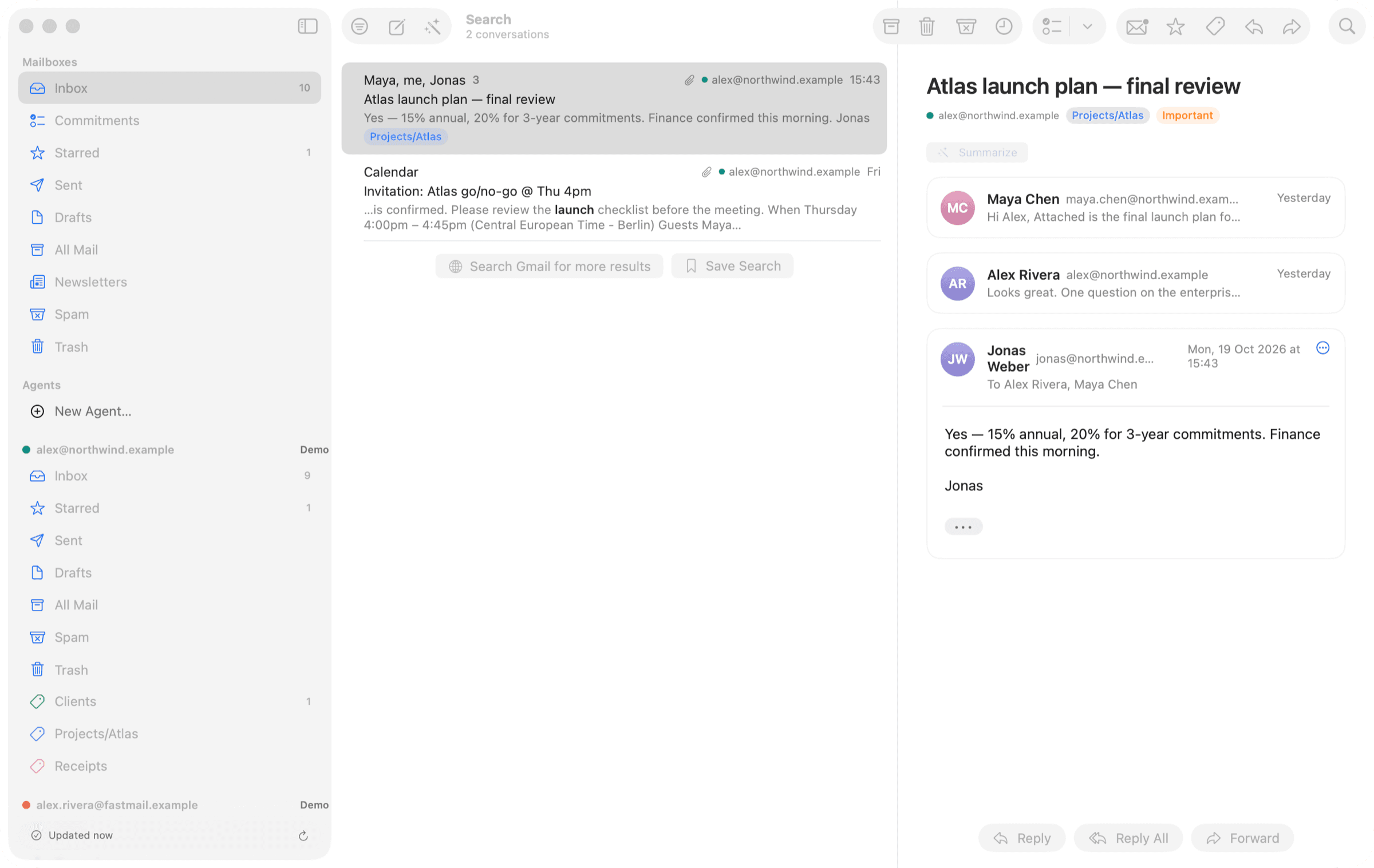
A full-text index of every account lives on your Mac, and Best Matches also finds mail that says the same thing in other words. Search across Gmail and IMAP at once by person, phrase or date, even on a plane.
- Best Matches
- People
- Exact phrases
- Dates
- Saved searches
- Works offline
One free account. Everything on.
Waxwing is a complete mail app without an account. Sign in with a free Waxwing account and the rest turns on while the beta lasts. The account holds your email address and the Macs you use, never your mail.
- Screener
New senders wait outside your Inbox until you say yes.
- Agents
Invoices, receipts, trips and renewals, gathered from your mail and kept up to date.
- Catch Me Up
Every unread conversation in one line, sorted by what needs you.
- Write with AI, ⌘J
A few words become a full email in your voice.
- Commitments from new mail
Promises and requests land on You Owe and Waiting For by themselves.
- More AI apps
Connect Claude Code, Codex, Cursor and others at once, each with its own scope.
- Agents over MCP
Claude Code works through your agents' lists, saves their files where you allow, and ticks them off.
- Ask Your Inbox
Ask a question in the search field; the answer names the emails it came from.
And everything a great Mac mail app should be.
Apple Intelligence runs on your Mac (macOS 26). Bring your own Claude or OpenAI key for more power. AI is off until you turn it on.
One click turns a long thread into a few lines, and its action items go to Reminders.
New senders wait until you say yes, and the people who matter always get through. Nothing is hidden from the Inbox.
Gmail, iCloud, Fastmail and any IMAP server, in one unified inbox.
Built in SwiftUI, with Liquid Glass on macOS 26 and the native Sequoia look on macOS 15. It feels like part of your Mac, in light and dark.
Pixels and remote images are blocked until you choose to load them.
- Snooze, or snooze until they reply
- Send Later
- Templates and signatures
- Rules, made from a selection
- Conversations in their own windows
- Suggestions from Contacts
- A Newsletters mailbox
- Invitations you can answer
- Attachments browser
- Signed mail, verified
- Menu bar inbox and VIP alerts
- Spotlight and Handoff
- Daily backups with restore
- mbox import and export
- VoiceOver support
AI you can trust with your inbox, because there's no cloud to trust.
Most AI mail apps send your inbox through their servers to work. Waxwing has no servers in between. We also reviewed it against the OWASP Application Security Verification Standard, and each finding was fixed with a regression test and a written record. The review is ongoing.
- Your Mac talks to Gmail or IMAP directly
- Mail, passwords and the search index never reach us
- AI runs on-device, or with your own Claude or OpenAI key
- A Waxwing account holds only your email address and your Macs
- SQLCipher databases with keys from a 256-bit root
- Root key held in the device-only macOS Keychain
- Encrypted backups and an exportable recovery key
- Messages render with JavaScript off and no cookies
- Attachments are quarantined, and documents are parsed in a sandbox with no network
- Mail is treated as untrusted to resist prompt injection
- MCP access is scoped per app, with a policy you control
- Every call is logged, and you can pause access anytime
- Nothing is sent without your approval
Signed with a Developer ID, notarized by Apple, and updated through EdDSA-signed releases. Found something? Write to support@waxwing.email.
Questions people ask first.
Something else? Write to support@waxwing.email.
Is Waxwing free?
Yes, during the beta. Reading, writing, local search with Best Matches, tracking protection, Snooze, Send Later and templates need no account, for unlimited Gmail and IMAP accounts. A free Waxwing account turns on the rest, like the Screener, Agents, Catch Me Up and Ask Your Inbox. Paid plans come later, and nothing you set up is lost. See the beta.
Why does Waxwing have accounts?
To run the beta with real people and, later, to sell plans. Your account holds your email address and the Macs you sign in on. It never holds your mail, which goes straight between your Mac and your provider.
Does my mail go through Waxwing's servers?
No. Your Mac connects to Gmail or your IMAP server directly, and your mail, passwords and search index stay on it. There's no Waxwing cloud in between.
Do I need to pay for AI?
No. AI is off until you turn it on. Apple Intelligence runs on your Mac at no cost on macOS 26, or you can use your own Claude or OpenAI key, which sends requests from your Mac straight to Anthropic or OpenAI.
Which accounts work?
Gmail, using an app password, plus iCloud, Fastmail, Yahoo and any other IMAP server. They all show up in one unified inbox.
Can Claude or Claude Code use my mailbox?
Yes, through Waxwing's built-in MCP server. You decide what each app may do, every call is logged in MCP Activity, and Waxwing asks you before anything is sent.
What do I need to run it?
A Mac with Apple silicon and macOS 15 or later. Updates install automatically, and each one is signed and notarized.

Stop keeping your inbox in your head.
Free to download, and free during the beta.